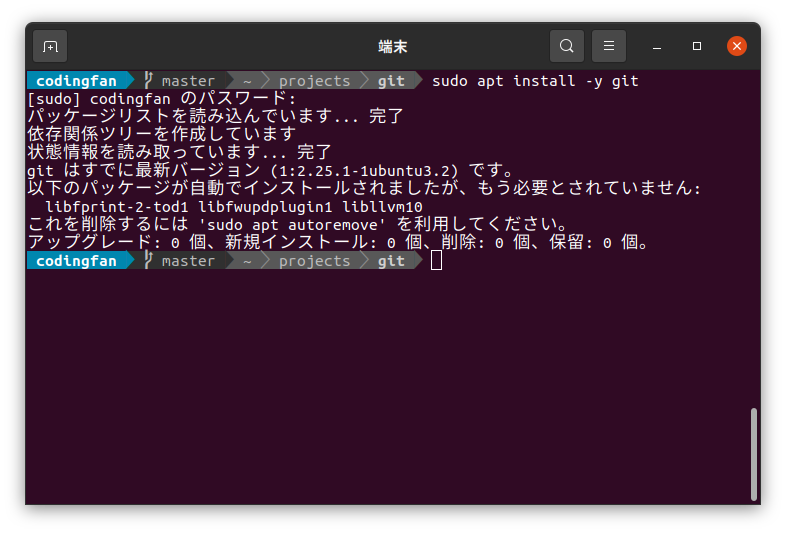
Powerlineとは
PowerlineとはいろんなShellをいい感じにしてくれる。(git表示、矢印、色など)
参考サイト : https://ubunlog.com/ja/powerline-personaliza-linea-comandos/
install
検索するといろいろ方法はあるような。自分はこんな感じ。
sudo apt update && sudo apt install powerline fonts-powerline

vim ~/.bashrc
.bashrc最後尾に下記を追加してターミナル再起動で完了
if [ -f /usr/share/powerline/bindings/bash/powerline.sh ]; then
source /usr/share/powerline/bindings/bash/powerline.sh
fi
VS CodeにPowerLine 導入
VS Codeのターミナルに設定する場合は、フォントを指定する。
メニューの ファイル > ユーザー設定 > 設定 > 検索に terminal.integrated.font を入力、
Font-familyの欄に Ubuntu mono, PowerlineSymbols と入力 VS Code再起動で反映される。
参考サイト : Software Engineering Blog
